Play Sonic Rumble on PC!
You can play Sonic Rumble on Windows PC!
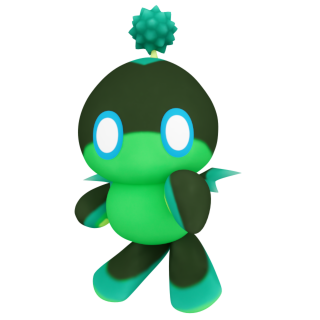
Install Google Play Games on PC now and receive bonus item "Dark Aquatic Chao".
※The Epic Buddy: Dark Aquatic Chao will be delivered to the Gift Box of all players who have logged in before 8:00 AM on 12/17/2025 (UTC).
※The reward will be distributed around 8:00 AM on 12/17/2925 (UTC)
- Go to https://play.google.com/pc-store/games/details?id=com.sega.sonicrumble&pcampaignid=dev-launch-sonic-rumble and click "Download"
- Run the file downloaded and Install Google Play Games on PC
- Sign in with your Google account
- The process for installing Sonic Rumble will be initiated automatically; if not, search for Sonic Rumble to install the game
Play Sonic Rumble on Google Play Games on PC and rumble with Sonic and friends! Whether on iOS, or Android, your achievements stay with you on PC, and you can continue to play it on mobile as well.
Go to Google Play Games on PC and install Sonic Rumble to enjoy the bonus item now!
■Enjoy 15% off promotion on Google Play Games on PC!
Play Sonic Rumble on Google Play Games on PC to enjoy an unprecedented offer!
Get 15% off any in-game purchase on Sonic Rumble on Google Play Games on PC, which expires Nov 18th.
Players can find and save the offer on the game's details page on GPG Web or within the Google Play Games on PC client. The discount is automatically applied at checkout for the next eligible in-game purchase--no promo codes are needed. Once you make in-game purchases, the offer will be automatically applied up to the discount limit.
Please enjoy Sonic Rumble on Google Play Games on PC and stay tuned for more exciting content coming up!